
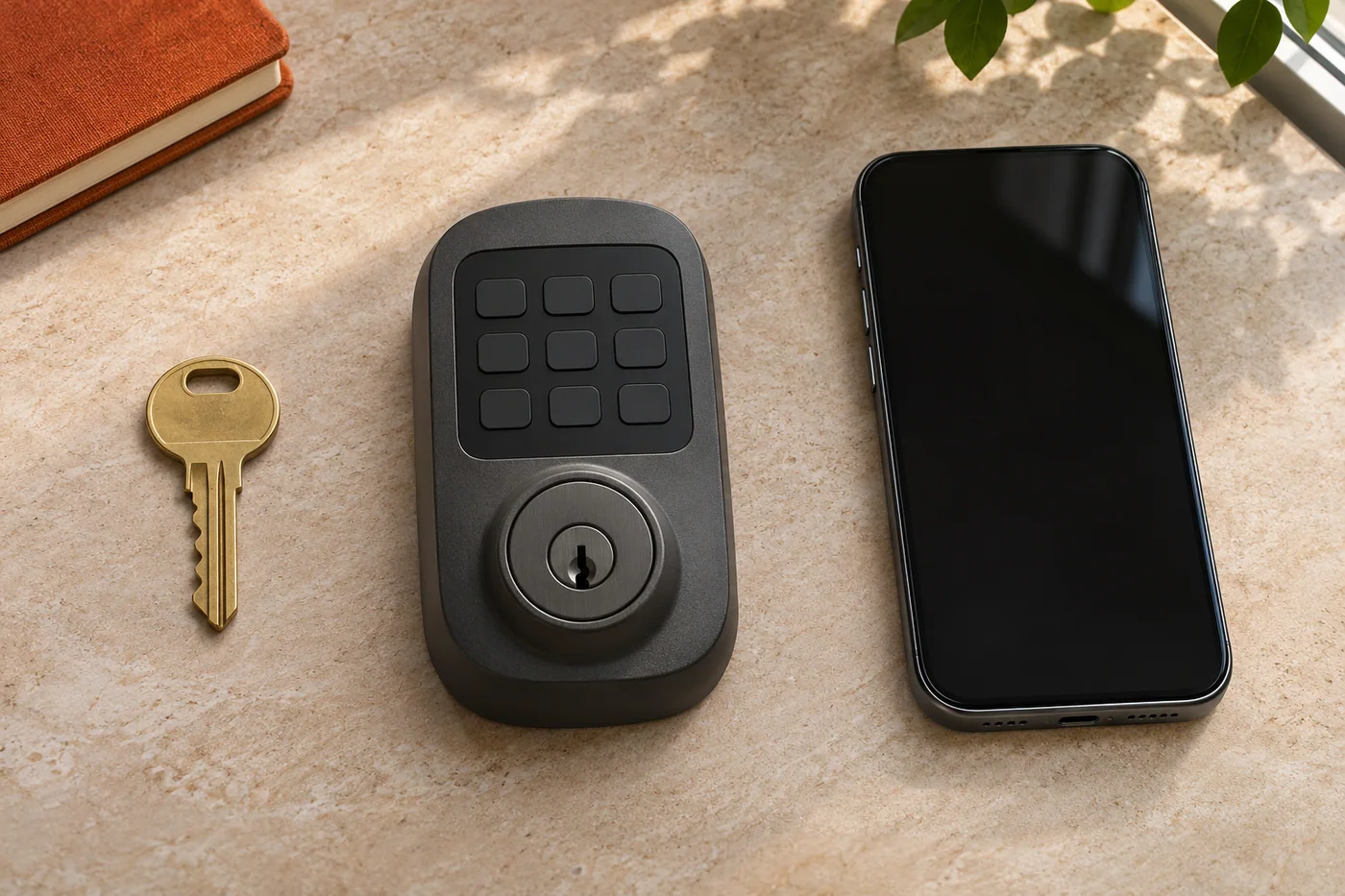
A connected lock can be opened with a physical key, a stored code or an authorized app user. Those methods can sit in one product without sharing one change process. A new code is not evidence that the old metal key has stopped working.
An access plan becomes clearer when each layer gets its own line. This guide explains the distinction for supported hardware, not a method to bypass an account, reset every lock or make unauthorized keys.
Line one: the physical cylinder
Record which entrance and cylinder the key belongs to. Then describe the intended access: which physical keys should operate it after the work. On suitable hardware, rekeying can change that relationship.
Compatibility and condition still matter. Kwikset's SmartKey information, for example, has compatible-key requirements. A familiar brand or similar key shape is not proof that all cylinders can be matched to the same key.
A physical-key change does not repair an unrelated latch problem, and it does not establish that a keypad code or app member has been removed. Keep the desired mechanical function and access result separately identified.
Line two: the keypad credentials
A keypad can have stored codes with different purposes or users, depending on the product. The person authorized to manage them needs the correct model instructions and a clear statement of which access should remain.
Do not put real codes into a public enquiry or a shared photograph. The useful initial request names the model and the change required, not the secret itself. A code change is also not proof that every other credential has changed.
Line three: app membership and ownership
An app can have an owner or administrator and other authorized users. The exact product determines which roles exist and how changes are made. Being physically present at a door does not establish authority to take over its account.
Keep the legitimate account owner or property manager involved. If access to the account itself is unavailable, the manufacturer's appropriate ownership and support process is separate from changing a physical cylinder.
Why a reset is not a universal answer
Kwikset's factory-reset support distinguishes product families and the effects of their procedures. For the Halo/Aura example reviewed for this guide, lock data can be cleared while codes and event history remain visible in the app until the lock is removed from the home there.
That distinction concerns a specified product family and record. It should not be stretched into a rule for every Kwikset product or another brand. Nor should remaining app information automatically be described as active physical access.
The right question is what the documented procedure changes on the actual device and what still needs attention in the authorized account. This guide does not reproduce button sequences or account-removal instructions.
Use a simple completion record
Keep one line for each layer: physical key, keypad credential and app membership. Identify the entrance and model once, then state which authorized change was actually completed for each line. Leave unknown items as unknown rather than marking the whole entrance changed.
A record might show that physical-key work is complete while an authorized account change is still pending. That is more useful than a broad statement that every old way in has been removed. It also avoids asking a mechanical repair to prove a digital result.
Keep the working door in the picture
A clear access plan still needs a functioning entrance. If the handle fails to return or the door does not latch normally, include that fault. Successful code entry is not a mechanical inspection.
At a business or shared property, several people may have responsibilities: a tenant reporting the problem, an owner authorizing the physical work and an administrator managing users. Establish those roles before promising a change across all layers.
Choose the request that matches the work
Read rekeying in Glendora for the physical-cylinder question, residential locksmith information for a home entrance or commercial locksmith information for a business door and its responsible people.
The Pasadena local guide applies this distinction to a regional request. Call 626-498-1755 to discuss the actual entrance and availability; support for a particular digital product must be checked rather than assumed.
Questions about the request
Does changing a code disable the physical key?
Not by itself. The physical cylinder and keypad credentials are separate layers; the actual completed work determines each result.
Does remaining app history prove someone can still enter?
Not necessarily. Stored or visible information and active access are different facts. Use the exact manufacturer's instructions and authorized account records.
Can someone with a key take over the app account?
Possession of a physical key does not establish account ownership or administrator permission. Use the legitimate owner's and manufacturer's appropriate process.